The source on every result
Each answer ends with a Source line: member reports with their sample size, Statistics Canada table 14-10-0417-01, or "Sample benchmark, not live data".

Salary intelligence for Canada
WageGators is a salary explorer and job browser for Canada. Every result carries its source: pooled member reports, Statistics Canada, or a clearly labelled sample. Nobody's individual salary is ever shown.
Why WageGators
A single figure tells you little if you can't see who reported it, how many people, or whether it's real data at all. WageGators is built the other way round: the number and its origin travel together.
Each answer ends with a Source line: member reports with their sample size, Statistics Canada table 14-10-0417-01, or "Sample benchmark, not live data".
Member data appears only when at least 5 different people reported the same job and city, so no one's pay can be worked out. Smaller groups are never published.
Search salaries, open shareable salary pages and browse jobs without an account. You only need a free account to report your own salary.
How the data works
For every search, WageGators shows the best data it has, in a fixed order, and tells you which one you're looking at.
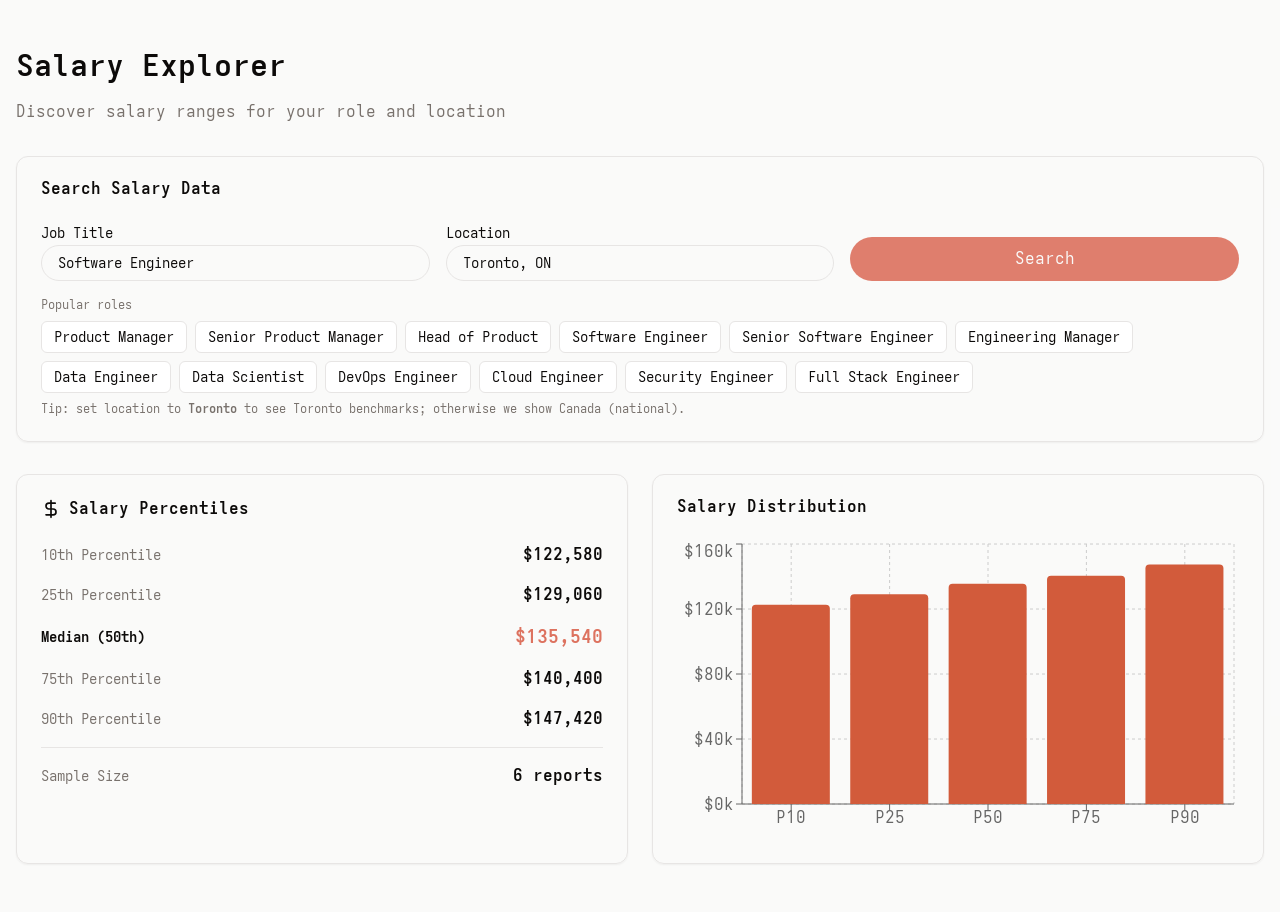
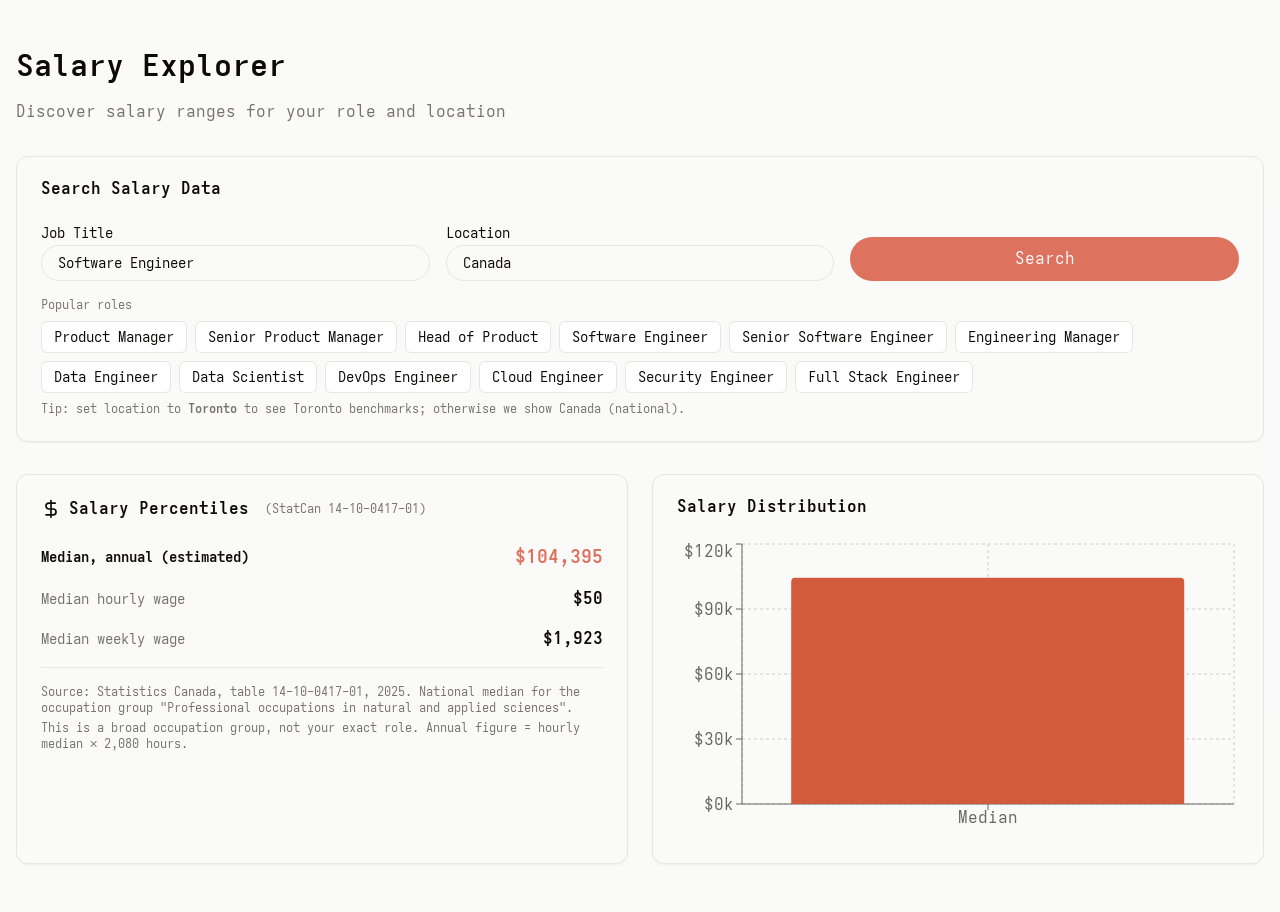
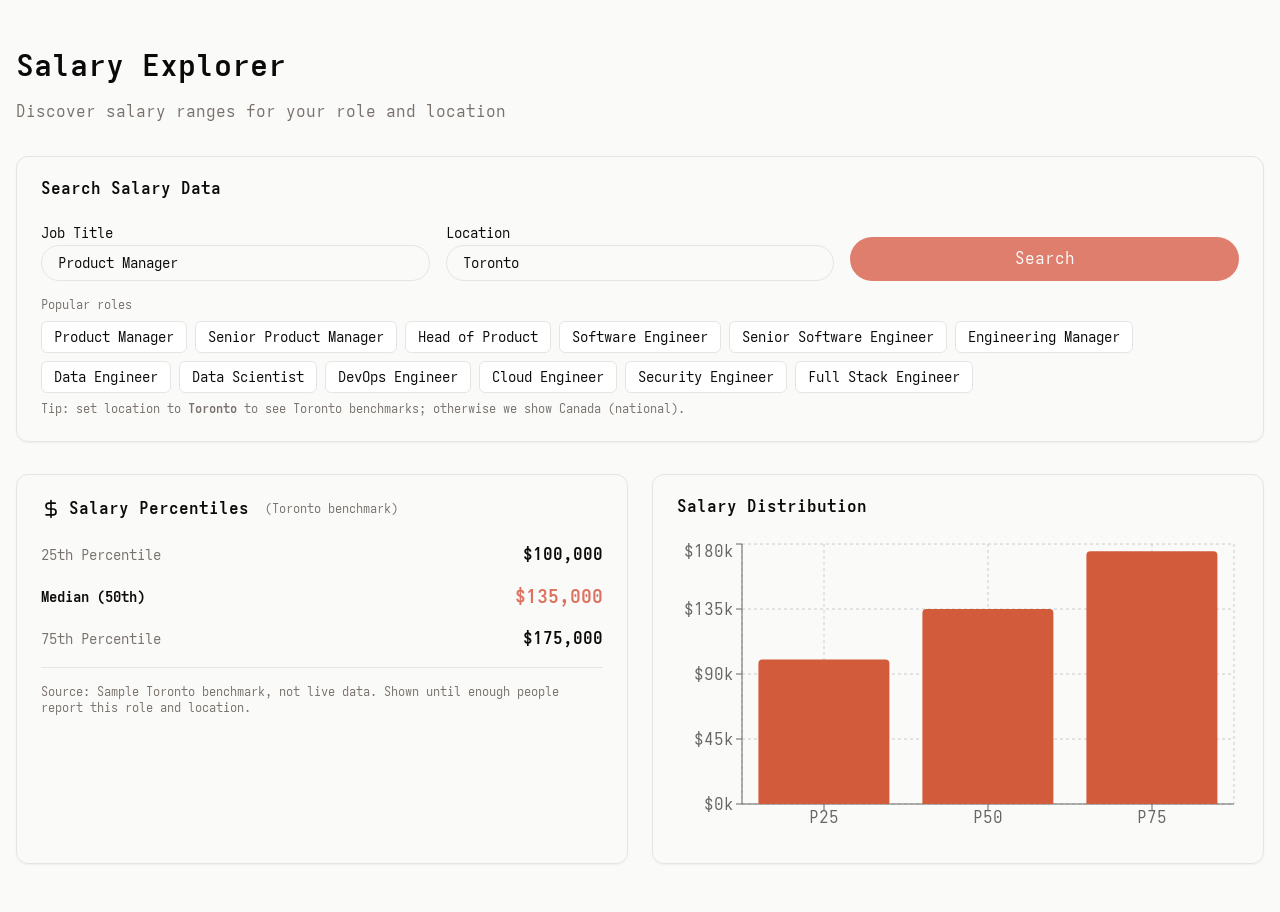
Screenshots from the WageGators app running on demo data.
Who it's for
Weighing an offer
Look up the role and city, check how the figure was built, and share the salary page with whoever you're talking it over with.
Search a roleLooking for your next role
Search by title, company or city as company job feeds are connected. You apply on the company's own site, not on WageGators.
Browse jobsReady to pay it forward
Your report is never shown on its own. It joins a published range only once 5 or more people have reported the same job and city.
Create a free accountFeatures
Everything below is live at app.wagegators.com. Where something is still filling up with data, we say so.
Type a job title and a city, or tap a popular role. You get a percentile table, a distribution chart and the source line. Type just the city name: "Toronto" and "Toronto, ON" give the same result.
Member reports
StatCan 14-10-0417-01
Sample benchmark
Popular roles · open the Canada salary page
Each job and city has its own address you can bookmark or share, with structured data so search engines can read it.
Jobs pulled from company career pages through Greenhouse, Lever, RSS and JSON feeds, refreshed every 3 hours. Jobs a company removes disappear automatically.
A short 4-step form. Job title, city and base salary are required; company, bonus, equity, years of experience and employment type are optional. Amounts are in Canadian dollars, per year.
One report per job per month. Sign up with email or continue with Google.
Report Your Salary – Step 3 of 4
How your data is used.
Your individual report is never shown to anyone except WageGators moderators. It only counts toward published salary ranges once at least 5 different people have reported the same role and location.
Sector-level ranges to sanity-check a figure. Today these are sample numbers for illustration, marked "not live" in the app. A real industry wage source is on the roadmap.
View industriesNew, flagged and low-trust reports (an unusual amount, missing details) land in a review queue, where admins approve, exclude or flag them. Excluding a report updates the published range immediately.
How it works
Type a job title and a location, or tap one of the popular roles. No account, no email gate.
See whether the answer comes from member reports, Statistics Canada or a sample, and what that means for how much to trust it.
With a free account, report your pay in four steps. Once 5 people have reported your job and city, a real range replaces the fallback.
Privacy and trust
Visitors only ever see ranges built from 5 or more people. Here is what happens behind the scenes, including the parts that aren't finished yet.
FAQ
No. Searching salaries, opening salary pages and browsing jobs are open to everyone. Only reporting a salary needs a free account.
No. Only WageGators admins see individual reports. Visitors see ranges built from 5 or more people who reported the same job and city.
Fewer than 5 people have reported it yet, and no Statistics Canada figure is mapped for that job title. Reporting your salary helps fill the gap.
Member data is grouped by city name. Statistics Canada and sample figures are national; sample figures also cover Toronto.
From company career pages, through Greenhouse, Lever, RSS and JSON feeds. When you click Apply on company site, the company's own posting opens; you apply there, not on WageGators.
Canadian dollars (CAD), per year unless a figure says hourly or weekly.
Yes. Every job and city has its own page, for example app.wagegators.com/salaries/software-engineer/toronto. Replace the job and city in the address, using dashes instead of spaces.
Search any job title and city in Canada. The source is always on the page.